Telehealth Patient Monitor
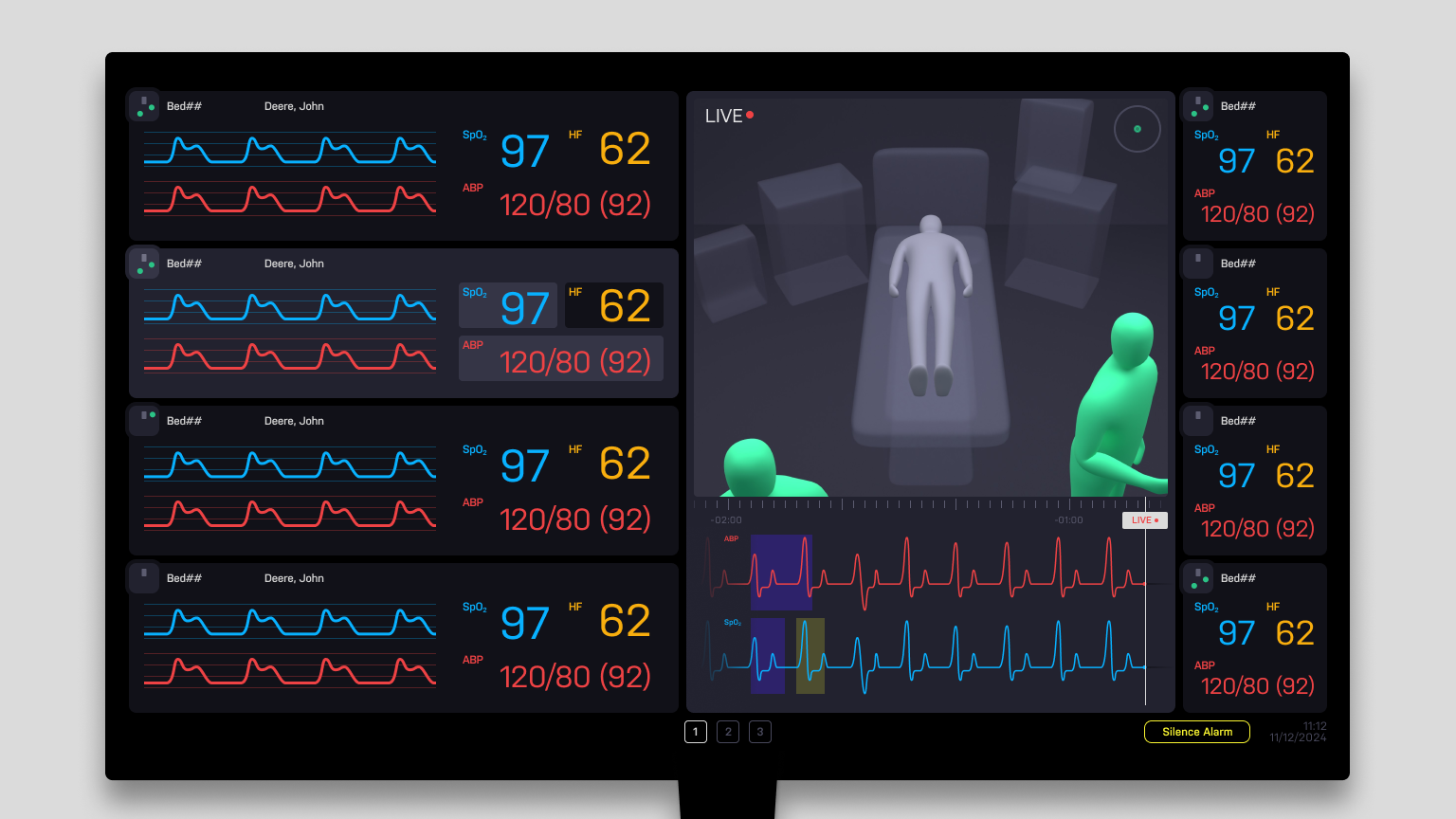
This project addresses the challenges of patient monitoring in telehealth environment, where a single telehealth nurse remotely oversees multiple patients.We focused on a telehealth nurse’s struggle where they cannot clearly know what is happening around the bedside and thereby cannot respond in time. We propose simple features with unique interface that address these issues and can be easily integrated into the existing monitor.
Team
Simon Ljungblahd
Natálie Švehlová
and me
Timeline and place
5 weeks, 2024
Umeå Institute of Design
Collaboration partner
Philips Healthcare

Project scope
In this project, we focused on two most common events in hospitals.
We aimed to address this two specific use cases with simple yet powerful features that make this project unique and interesting.
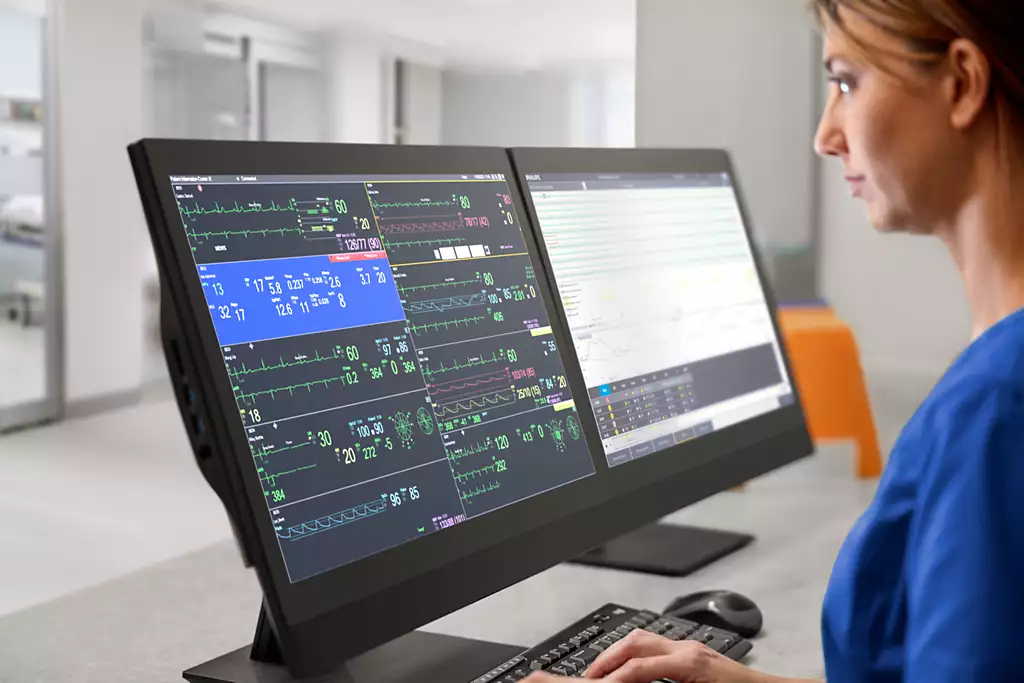
2. Unusual dips found in ABP graph.
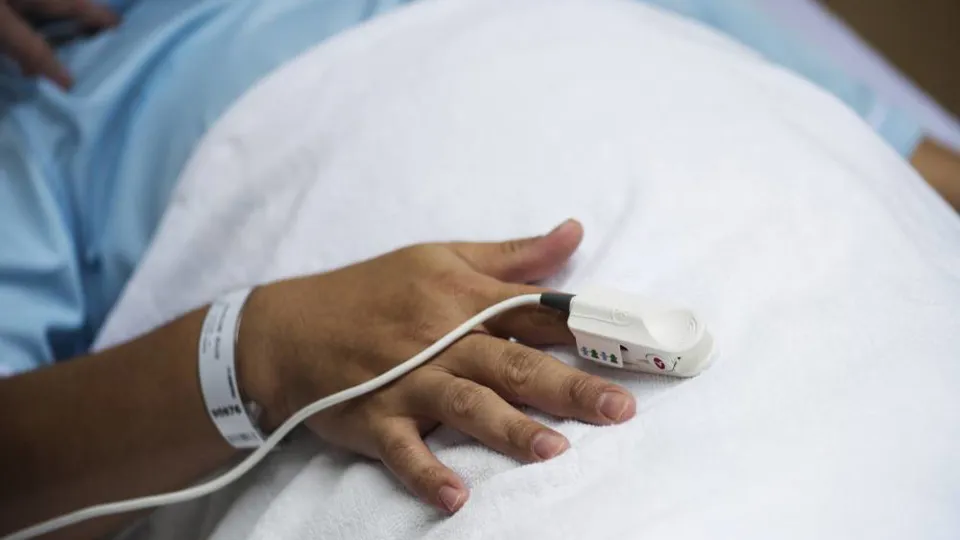
1. Saturation probe falling off a patient
Problem
Saturation probe falling off is a very common event, and when it happens nurses get a technical alarm. The alarm itself is not a huge problem, but something dangerous could happen while saturation isn't measured. Therefore, when the alarm goes on, telehealth nurses should check if anyone near the bedside is coming to fix the probe.
Solution
Our approach to quickly and effectively to address this problem is to add a small visual indicator called a 'Mini Map,' which allows nurses to glance at the bedside and see if there any nurses near by the patient. Then we the made Mini map act as a button that opens a new window called 'Focus View.' Focus view contains a video feed showing two important information: the location and body position of the nurses. The telehealth nurse can switch between the two views using mouse scrolling.
① Mini map
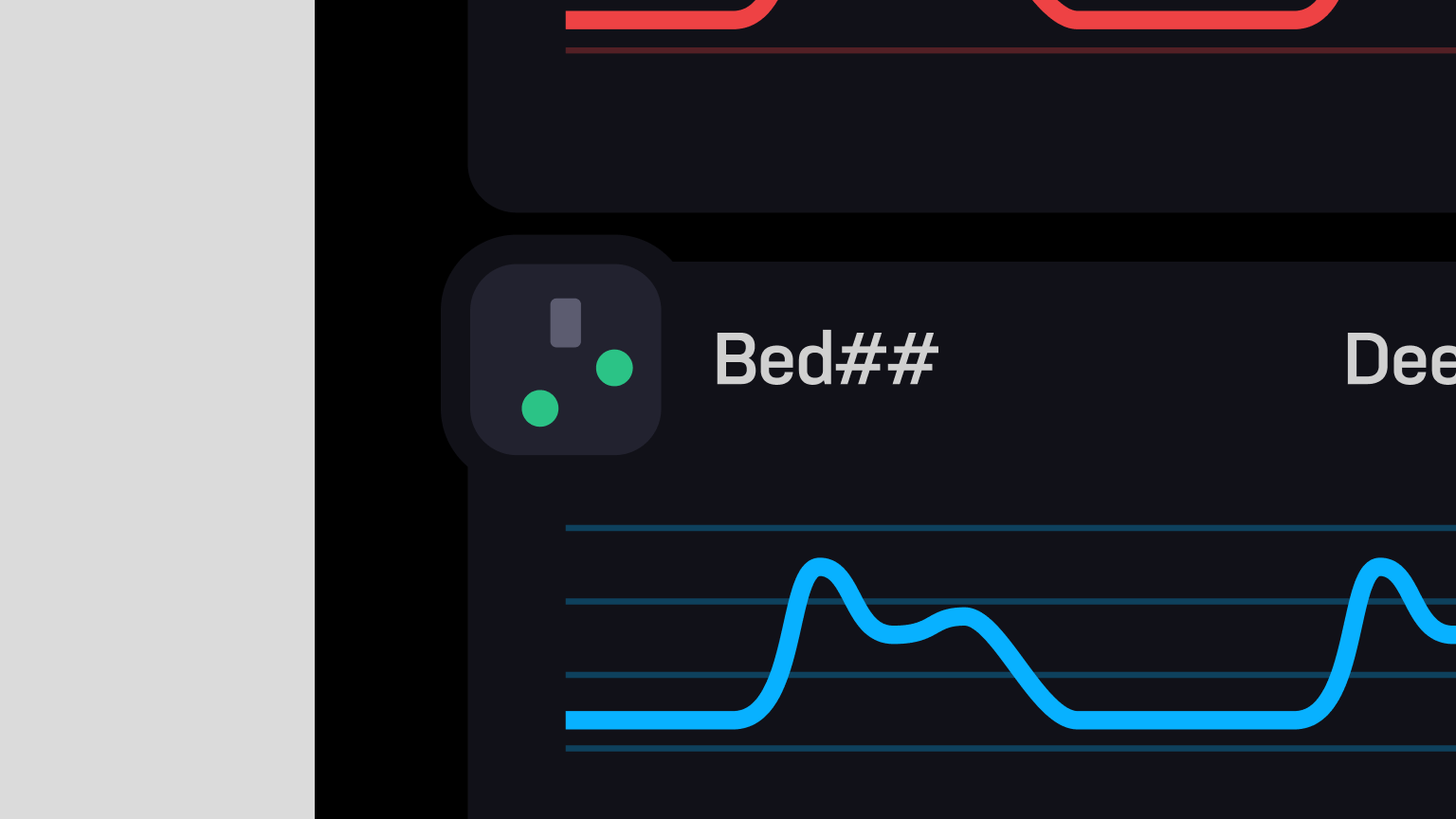
② Focus view
How we address this issue
Read more
When the technical alarm goes on, the telehealth nurse firstly check Mini map to see whether anyone is near by the patient. Since currently there’s no one by the bedside, they can click the Mini map to open up a Focus view. Then zooming out the view until they see the nearest bedside nurse in the ward. If there’s no one coming, the telehealth nurse can quickly make a decision to inform the ward. In this case, the telehealth nurse can see that a bedside nurse is approaching the patient, so they zoom in again and check the body position of the bedside nurse to make sure that they have fix the probe.
2. Unusual dips found in ABP(blood pressure) graph
Problem
Unusual dips in ABP graph commonly found when a bedside nurse take a blood sample from patients. However, telehealth nurses face an issue where it’s hard to know what actually happened on the bedside. This event require nurses to check what had happened in the specific time of the graph.
Solution
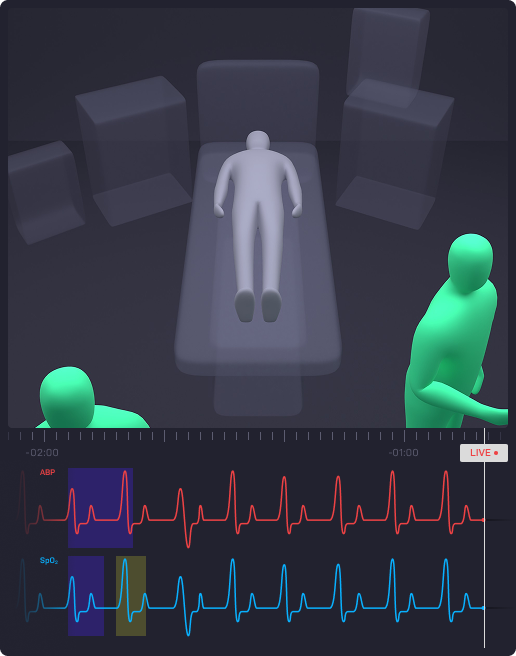
To address this problem, it is crucial to identify what happened at the moment the dip occurred. We enabled a parameter graph to be displayed below the video feed in Focus view. Clicking on a specific point on the graph allows telehealth nurses to review the video footage from the bedside at that exact time.
How we address this issue
Read more
When the telehealth nurse notices an unusual dip on the ABP graph, they open Focus view to review the video footage.Since the ABP parameter(red) needs to be examined, the parameter is selected to display its graph below the video feed.A live view appears first, and once a specific time frame is selected, the video footage at that exact moment is shown.In this case, it becomes clear that a bedside nurse is taking a blood sample from the patient.
Project design system
While we were working on the prototype, we made a simple design system to keep consistency and to make the prototype easily understandable.
Animation made by Simon Ljungblahd
There’s more to tell
There’s still a lot more to share about why it looks this way and how our decisions took shape.
If you’re curious, I’d love to tell you more. Feel free to reach out!
A glimpse of our process
What I’ve learned
Make prototypes.
Test and Evaluate.
Do not assume and evaluate only by thinking. Always make a quick prototype and share it within a team. Evaluate based on what the team can clearly see and tell.
Importance of project scope and specific use cases.
We cannot address all problems at once. It’s important to focus on very specific use cases that we can define a problem.
Present something that people can see.
Show problems why it matters and present how to address it. Make people can see it so they don't have to believe or imagine it.
Click to read more
Final words
It was a great opportunity to experience the healthcare design world through this project. Huge thanks to Leon Andersen and the rest of the medical staffs at NUS for sharing their knowledge and experience.
Most importantly, I want to give my deepest appreciate and respect to my great team, Simon and Natálie for amazing work and made this intense 5 weeks so enjoyable. I believe through this experience, I became a better designer in terms of reasoning, prototyping and driving a project to an interesting direction.

Back
Back
Telehealth Patient Monitor
This project addresses the challenges of patient monitoring in telehealth environment, where a single telehealth nurse remotely oversees multiple patients.We focused on a telehealth nurse’s struggle where they cannot clearly know what is happening around the bedside and thereby cannot respond in time. We propose simple features with unique interface that address these issues and can be easily integrated into the existing monitor.
Team
Simon Ljungblahd
Natálie Švehlová
and me
Timeline and place
5 weeks, 2024
Umeå Institute of Design
Collaboration partner
Philips Healthcare
Project scope
In this project, we focused on two most common events in hospitals.
We aimed to address this two specific use cases with simple yet powerful features that make this project unique and interesting.
2. Unusual dips found in ABP graph.
1. Saturation probe falling off a patient
Problem
Saturation probe falling off is a very common event, and when it happens nurses get a technical alarm. The alarm itself is not a huge problem, but something dangerous could happen while saturation isn't measured. Therefore, when the alarm goes on, telehealth nurses should check if anyone near the bedside is coming to fix the probe.
Solution
Our approach to quickly and effectively to address this problem is to add a small visual indicator called a 'Mini Map,' which allows nurses to glance at the bedside and see if there any nurses near by the patient. Then we made the Mini map act as a button that opens a new window called 'Focus View.' Focus view contains a video feed showing two important information: the location and body position of the nurses. The telehealth nurse can switch between the two views using mouse scrolling.
① Mini map
② Focus view
How we address this issue
Read more
When the technical alarm goes on, the telehealth nurse firstly check Mini map to see whether anyone is near by the patient. Since currently there’s no one by the bedside, they can click the Mini map to open up a Focus view. Then zooming out the view until they see the nearest bedside nurse in the ward. If there’s no one coming, the telehealth nurse can quickly make a decision to inform the ward. In this case, the telehealth nurse can see that a bedside nurse is approaching the patient, so they zoom in again and check the body position of the bedside nurse to make sure that they have fix the probe.
2. Unusual dips found in ABP(blood pressure) graph
Problem
Unusual dips in ABP graph commonly found when a bedside nurse take a blood sample from patients. However, telehealth nurses face an issue where it’s hard to know what actually happened on the bedside. This event require nurses to check what had happened in the specific time of the graph.
Solution
To address this problem, it is crucial to identify what happened at the moment the dip occurred. We enabled a parameter graph to be displayed below the video feed in Focus view. Clicking on a specific point on the graph allows telehealth nurses to review the video footage from the bedside at that exact time.
How we address this issue
Read more
When the telehealth nurse notices an unusual dip on the ABP graph, they open Focus view to review the video footage. Since the ABP parameter(red) needs to be examined, the parameter is selected to display its graph below the video feed. A live view appears first, and once a specific time frame is selected, the video footage at that exact moment is shown. In this case, it becomes clear that a bedside nurse is taking a blood sample from the patient.
Project design system
While we were working on the prototype, we made a simple design system to keep consistency and to make the prototype easily understandable.
Animation made by Simon Ljungblahd
There’s more to tell
There’s still a lot more to share about why it looks this way and how our decisions took shape.
If you’re curious, I’d love to tell you more. Feel free to reach out!
A glimpse of our process
What I’ve learned
Make prototypes.
Test and Evaluate.
Do not assume and evaluate only by thinking. Always make a quick prototype and share it within a team. Evaluate based on what the team can clearly see and tell.
Importance of project scope and specific use cases.
We cannot address all problems at once. It’s important to focus on very specific use cases that we can define a problem.
Present something that people can see.
Show problems why it matters and present how to address it. Make people can see it so they don't have to believe or imagine it.
Hover to read more
Final words
It was a great opportunity to experience the healthcare design world through this project. Huge thanks to Leon Andersen and the rest of the medical staffs at NUS for sharing their knowledge and experience.
Most importantly, I want to give my deepest appreciate and respect to my great team, Simon and Natálie for amazing work and made this intense 5 weeks so enjoyable. I believe through this experience, I became a better designer in terms of reasoning, prototyping and driving a project to an interesting direction.